
Export Real Media Files in Adobe Premiere 6.x
If you haven't done so already, open your video clip in Premiere. From the File menu, select Export Clip. Choose either Advanced RealMedia Export or Save For Web. Either option will open a new window and allow you to adjust certain settings before exporting the file.
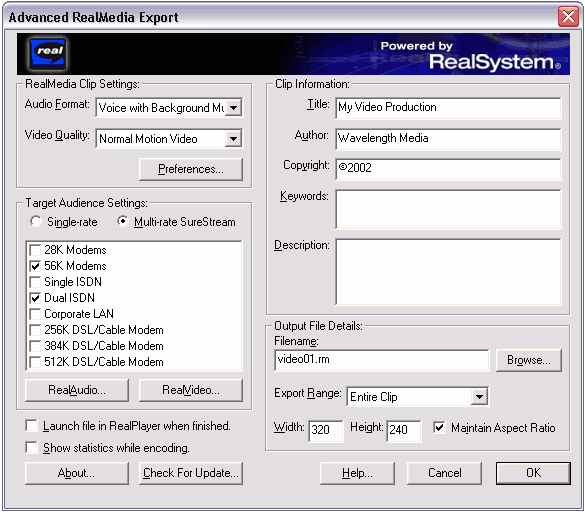
The Advanced RealMedia window is shown below. Like the Windows Media window, this includes presets and customisation options, as well as additional information about the clip.
The Output File is the location and name of the finished video file. This is the file you will upload to your server and be seen by end users. RealMedia video files use a .rm extension.
More information: