
File Formats
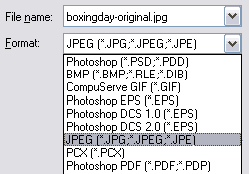
This is part of the Photoshop "Save As..." window.
When you save a file in this way, you have the option to choose any available format.
For internet work there are three types of files you need to be familiar with: JPG, GIF and PNG. There are many other file types but the vast majority of all images on the internet are one of these three formats.
Choosing Which Format to Use
Traditionally, the choice has been between JPG and GIF for internet files. In fact there have been many browsers and email programs that only recognise these formats.
JPG: This format is best for images with a large number of colours, such as photographs. JPG (or JPEG) actually stands for Joint Photographic Experts Group, and this format was specifically developed for use with photos.
Most photo-image software applications which come with cameras and scanners tend to use JPG by default.
GIF: Use this format for images with a lower number of colours and with strong, clearly defined lines. Images which contain simple shapes and/or text usually use GIF, e.g. logos, buttons, icons, etc. You may also find that small thumbnail-sized photo images can work well as GIF.
PNG: In recent years it has become quite safe to use the format as well. PNG offers the advantages of a full color pallete like JPG, plus nice clean lines and colors like GIF. It also has much better transparency support than GIF.
| Rule of Thumb: | |
Photos: Use JPG |
Logos: Use GIF or PNG |
If you're not sure which format to use, save your image in three versions—one of each. You can then compare image quality and file size to see which is best.
Viewing Image Properties
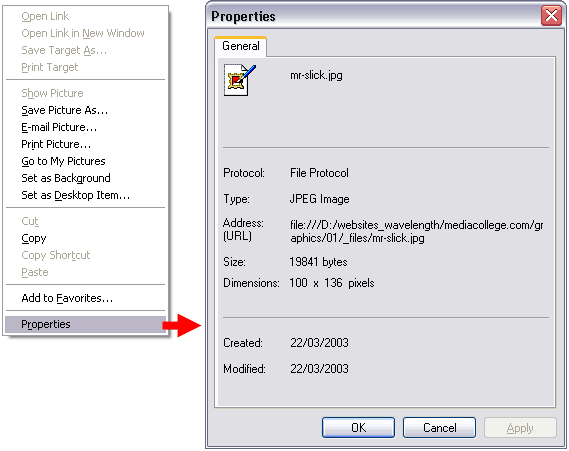
Before we go any further, here's a handy trick: You can view the basic properties of most images on the internet by right-clicking the image and selecting "Properties" (or the equivalent option in your browser). This will tell you the file type, file name, file size and pixel dimensions.

Next Step: Optimising an Image